Senaro AI for Sales Leaders (your own task load)
Senaro AI is the personal task layer for sales leaders as individual users, not a team management tool. Sales leaders carry a player-coach load: your own deals plus 1:1 prep plus forecast prep plus coaching follow-ups plus recruiting. This is the place to put all of it without things slipping. To be clear: Senaro is not a team tool. It's the personal task layer for you, not for managing your reps.
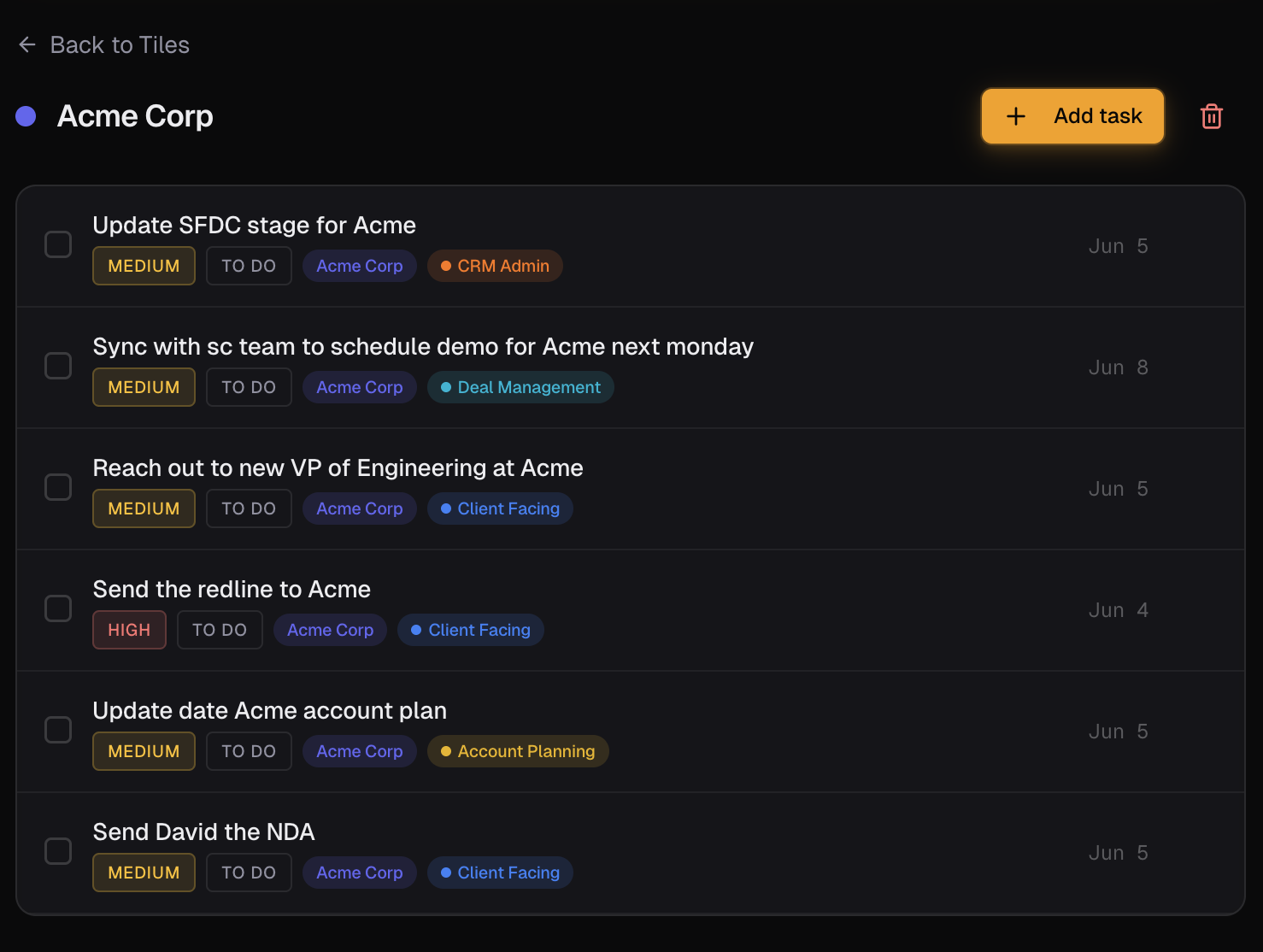
Sales managers, directors, and VPs who still carry their own work alongside leading a team. The 1:1 prep, the forecast call prep, the coaching follow-ups, the recruiting tasks, the strategic accounts you're still personally involved in. If you're looking for a tool to track your reps' activity, this isn't it.
What you're actually trying to do
Capture without breaking flow during a meeting-heavy day
Most of your day is back-to-back meetings. Type one line between calls and Senaro files it. No form to fill, no app to switch to, no five-minute setup before each capture.
Surface what to do next today, across every role you play
Coaching follow-up with your top SDR. Forecast prep for the QBR. Personal touch on the strategic account. Recruiting feedback to the panel. One sorted plan, not five mental lists.
Walk into 1:1s and forecast calls already prepared
Click into the rep's tile (or the strategic account tile, or the recruiting tile) and see every open thread in one view. No 20 minutes of context-stitching before each meeting.
Why the current setup falls short
- Your day is meeting-driven and meeting-fragmented. Capture has to be instant or it doesn't happen.
- You're juggling cross-account context: your own deals, your reps' deals, recruiting, strategic projects.
- Personal systems decay because you don't have a Saturday to maintain a template.
- Things slip in the gaps between meetings, not during them.
- The CRM is for your team's reporting, not for your own personal triage.
How Sales Leaders actually use Senaro AI
1:1 prep
Tile per direct report. Every open coaching thread, every commitment from last 1:1, every flagged deal you wanted to revisit. Click in five minutes before the meeting and you're ready.
Forecast call prep
Tile per strategic deal you're still personally tracking. Every open thread, every commitment, every risk flag. Walk into the call already with a view.
Recruiting tasks
Tile per recruiting pipeline (or per candidate for finalists). Interview debrief, reference checks, offer follow-up. Tagged hire-pipeline so they don't compete with revenue work in your sorted view.
Strategic account follow-up
The accounts where you're still personally involved. Every commitment from every exec dinner or strategic conversation captured the same way as a rep would capture a follow-up.
What you get
Account tiles for any cross-cutting context
Use tiles for whatever you need to track over time: direct reports, strategic deals, recruiting pipelines, internal projects.
Invisible AI on every entry
Type a sentence between meetings. The AI parses the context, the urgency, the tag. Capture speed matches the pace of a meeting-heavy day.
Sales-native tags out of the box
Client Facing, Deal Mgmt, CRM Admin tags work for your own player work. Add custom tags on Pro for coaching, recruiting, or strategic-project work.
AI Import for offsite or QBR debriefs
Paste your offsite notes or QBR debrief, get a structured task list back. Triage a full strategic offsite in five minutes.
Mobile-optimised
Capture on the way out of every meeting room. Full iPhone Safari experience, not a desktop tool with a tacked-on mobile view.
Your starter template
Sales leaders don't have a dedicated starter template yet. Most pick 'Account Executive' during onboarding for the closest fit (Client Facing, Deal Mgmt, Renewal, CRM Admin tags) and add custom tags for coaching, recruiting, or strategic work. Setup is five minutes.
Frequently asked questions
Is this a team product?
No. Senaro AI is a single-user product with no team workspaces, no manager dashboards, no admin console, no SSO. It's the personal task layer for your own work as a player-coach. If you're looking for a tool to track your team's activity, look elsewhere.
Can I see my reps' tasks?
No. Each user has a private task list that only they see. We're deliberate about this: Senaro is the place reps put their messy thinking, which they would not do if it were visible to their manager.
Will Senaro AI replace my CRM?
No. Your CRM is the system of record for the team's deals and reporting. Senaro is your personal task layer for what to do next today. They sit side by side.
What if I want my reps to use it too?
They can sign up individually on their own personal cards. There are no team plans, but a rep using Senaro for their own work alongside you using it for yours is a common pattern.
Does Senaro work on mobile?
Yes. Full iPhone Safari experience with a bottom tab bar, mobile-safe dialogs, and quick-add from any view. Built for capturing between meetings.
Is my data safe?
Yes. Encrypted in transit and at rest. Customer data is never used to train AI models. Only task text is sent to our AI provider for parsing, never your account data, and you can pause AI processing at any time.
Explore more
New to sales task managers? Compare your options in our guides to the best sales task managers and the best free task managers.
Or see how Senaro AI compares to Todoist, HubSpot Tasks, Salesforce Tasks, Notion and Motion, or browse all alternatives.
Try it for a week
14 days of Pro, no card. Drops to Free after if you do nothing.
Built by Arjun Sinha. 13+ years on the sales front line before founding Senaro AI, including AE, Sales Leadership, and GTM Consulting at Series A+ SaaS companies. Senaro AI is built around how a sales day actually flows, not how a product manager imagines one does.